
Common Technology Abbreviations and What They Mean
1. Wi-Fi – Wireless Fidelity
Wi-Fi allows devices to connect to the internet wirelessly. It’s what we use at home, in cafes, and in public places to go online without needing cables.
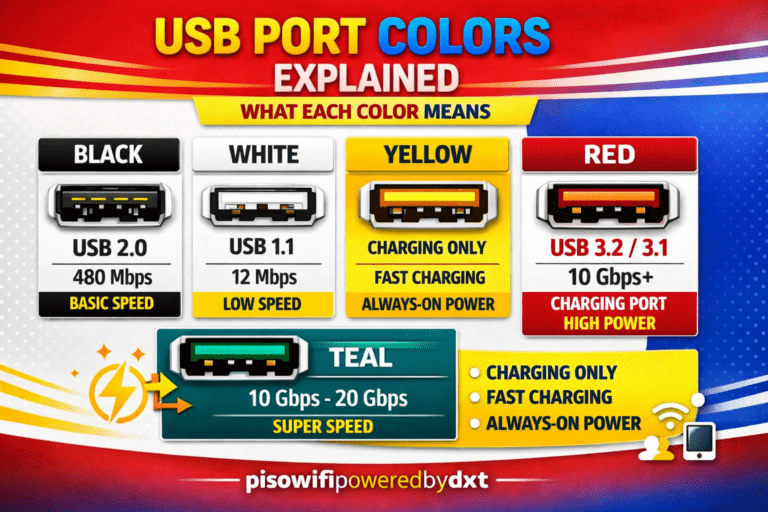
2. USB – Universal Serial Bus
USB ports and flash drives are everywhere. They help connect or transfer data between devices—like plugging in a keyboard to a computer or saving photos on a USB stick.
3. SMS – Short Message Service
This is simply the technical term for text messaging. It’s the basic text service we’ve all used long before messenger apps came along.
4. LED – Light Emitting Diode
From flashlights to TVs, LED lights are energy-efficient bulbs used in many modern electronics.
5. CPU – Central Processing Unit
Known as the “brain” of a computer, the CPU processes instructions and carries out tasks that make your computer or smartphone work.
6. RAM – Random Access Memory
RAM is your device’s short-term memory. The more RAM you have, the faster your device can handle multiple tasks at once.
7. HTML – HyperText Markup Language
HTML is the coding language used to create websites. It structures how text, images, and links appear on a webpage.
8. URL – Uniform Resource Locator
This is the technical term for a web address. For example, www.google.com is a URL.
9. VPN – Virtual Private Network
A VPN helps keep your online activities private by hiding your IP address and encrypting your internet connection.
10. AI – Artificial Intelligence
AI refers to machines or software that can “think” or make decisions—like voice assistants, chatbots, or automatic translations.
11. IoT – Internet of Things
IoT refers to smart devices that connect to the internet and to each other—like smart refrigerators, smart lights, or even smart pet tags.
12. QR Code – Quick Response Code
This square barcode can be scanned by your phone to quickly open websites, download apps, or access information—very common now in restaurants and stores.
13. 5G – Fifth Generation (of mobile network)
5G is the latest mobile internet technology. It’s faster and more reliable than previous generations like 3G or 4G.
14. GPS – Global Positioning System
GPS is what powers map apps and helps us find directions or track locations using satellites.
15. OS – Operating System
This is the main software that runs on any device, like Windows for computers, Android for phones, or iOS for iPhones.
Why This Matters
Many Filipinos are using these technologies daily—yet we often overlook what these abbreviations stand for. Understanding them not only improves our digital knowledge but also helps us make wiser decisions, especially when buying gadgets or using online services.
As we embrace modern tools and technology, let’s also take the time to learn and understand what we’re really using. It’s not about becoming a tech expert, but about being informed, aware, and confident in a digital world.
Final Thoughts
Technology is not meant to confuse us—it’s here to serve us. And by knowing the meaning behind these abbreviations, we can use tech more wisely and responsibly. If you found this helpful, share it with a friend or family member who might appreciate learning something new today!
Stay informed. Stay connected. Stay traditional, but updated.