
How Filipinos Can Protect Their Phones from Hackers
In today’s digital age, our smartphones hold much more than just contacts and photos. They’re connected to our social lives, finances, personal data, and even our work. This makes them an attractive target for hackers looking to steal information, commit fraud, or damage your reputation. As Filipinos increasingly rely on mobile technology for daily tasks, it’s crucial to understand how to keep our devices secure.
Here are some practical tips on how Filipinos can avoid having their phones hacked:
- Keep Your Software Updated
Always keep your phone’s operating system and apps updated. Software updates often contain patches that fix vulnerabilities that hackers could exploit. Most phones have an automatic update feature, but it’s good to check your settings to make sure you’re receiving the latest updates. - Use Strong Passwords and PINs
The first line of defense for any phone is a strong password or PIN. Avoid using simple numbers like “1234” or your birthday. Instead, choose a combination of numbers, letters, and symbols that are hard to guess. Consider using a password manager to help generate and store strong passwords securely.
For added security, enable biometric features like fingerprint scanning or facial recognition, which make it harder for someone to access your device without your consent.
- Enable Two-Factor Authentication (2FA)
Two-factor authentication adds an extra layer of security by requiring you to verify your identity through something you know (your password) and something you have (a verification code sent to your phone or email). This significantly reduces the chances of unauthorized access to your accounts.
Enable 2FA for your most important apps, such as online banking, social media, and email accounts.
- Install a Reliable Antivirus and Security App
Just like computers, smartphones can be infected by malware. Install a reputable antivirus app to scan for and block potential threats. Many antivirus apps also offer features like anti-theft tracking, which can help you locate your phone in case it’s lost or stolen. - Be Cautious with Public Wi-Fi
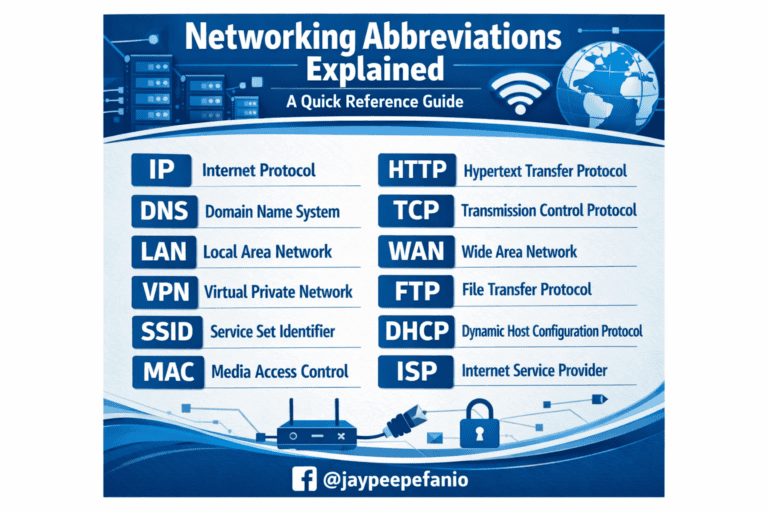
Public Wi-Fi networks, like those in malls, coffee shops, or airports, are often unsecured and can be a goldmine for hackers. Avoid accessing sensitive information, such as online banking or making transactions, when connected to public Wi-Fi. If you must use public Wi-Fi, consider using a Virtual Private Network (VPN) to encrypt your internet connection and protect your data. - Don’t Download Apps from Untrusted Sources
While the Google Play Store and Apple App Store are relatively safe, third-party app stores can be risky. Avoid downloading apps from unknown or unverified sources, as they might contain malware. Always check the reviews and ratings of apps before installing them. - Be Wary of Phishing Scams
Phishing is when hackers trick you into giving up your personal information by pretending to be a trusted entity. These scams are commonly carried out through emails, text messages, or social media messages that look like they’re from legitimate sources, such as your bank or a popular app.
To avoid falling for these scams, don’t click on suspicious links or download attachments from unknown sources. Always verify the authenticity of any communication by directly contacting the institution or person who supposedly sent it.
- Monitor App Permissions
Many apps request access to more data than they need. For example, a simple flashlight app might ask for access to your contacts or camera, which could be a sign of malicious intent. Regularly review the permissions you’ve granted to your apps and revoke any unnecessary access.
You can do this by going to your phone’s settings, then reviewing each app’s permissions under the “Privacy” or “App Permissions” section.
- Lock Your Phone When Not in Use
Even if you’re just stepping away from your phone for a moment, it’s always a good idea to lock it. Use a password, PIN, or biometric lock to prevent unauthorized people from accessing your device while it’s unattended. - Back Up Your Data
In the event that your phone gets hacked or you lose it, having a recent backup of your data can help you recover important files and contacts. Use cloud storage services like Google Drive or iCloud to back up your data automatically. - Be Careful with Bluetooth
Bluetooth can be another potential entry point for hackers if left open. When you’re not using Bluetooth, turn it off to prevent unauthorized connections. Additionally, avoid pairing with unknown devices, especially in public places, to avoid security risks. - Educate Yourself About the Latest Security Threats
Technology evolves rapidly, and so do the tactics hackers use. Stay informed about the latest security threats by reading about phone hacking methods and common scams. Knowledge is power, and knowing what to look out for can help you stay ahead of potential threats.
Conclusion
In the Philippines, smartphones are an essential part of daily life, making them a prime target for hackers. By following these simple steps, you can significantly reduce the chances of your phone being hacked. Always stay vigilant and remember that security starts with being cautious about how you use your device. Protecting your phone is not just about technology, but also about maintaining good digital habits.
Stay safe, Filipinos! Protect your data, protect yourself.