Common Networking Abbreviations Explained: A Quick Reference Guide
Common Networking Abbreviations: A Simple Guide
If you spend any time around IT teams, internet providers, or office routers, you will quickly run into a flood of acronyms. Some are easy to guess, while others can make a simple conversation feel like alphabet soup. Learning common networking abbreviations can save time, reduce confusion, and help you understand how networks actually work.
Whether you are troubleshooting Wi‑Fi at home, setting up a small business network, or just trying to follow a tech discussion, knowing these terms is a useful skill.
Why Networking Abbreviations Matter
Networking is full of technical concepts, and abbreviations make those concepts easier to write and say. Instead of spelling out long technical names every time, professionals use short forms like IP, DNS, and VPN.
These abbreviations are important because they:
- Speed up communication
- Make technical documentation shorter
- Help standardize industry language
- Appear often in manuals, settings, and error messages
Once you understand the most common networking abbreviations, many technical instructions become much easier to follow.
Common Networking Abbreviations You Should Know
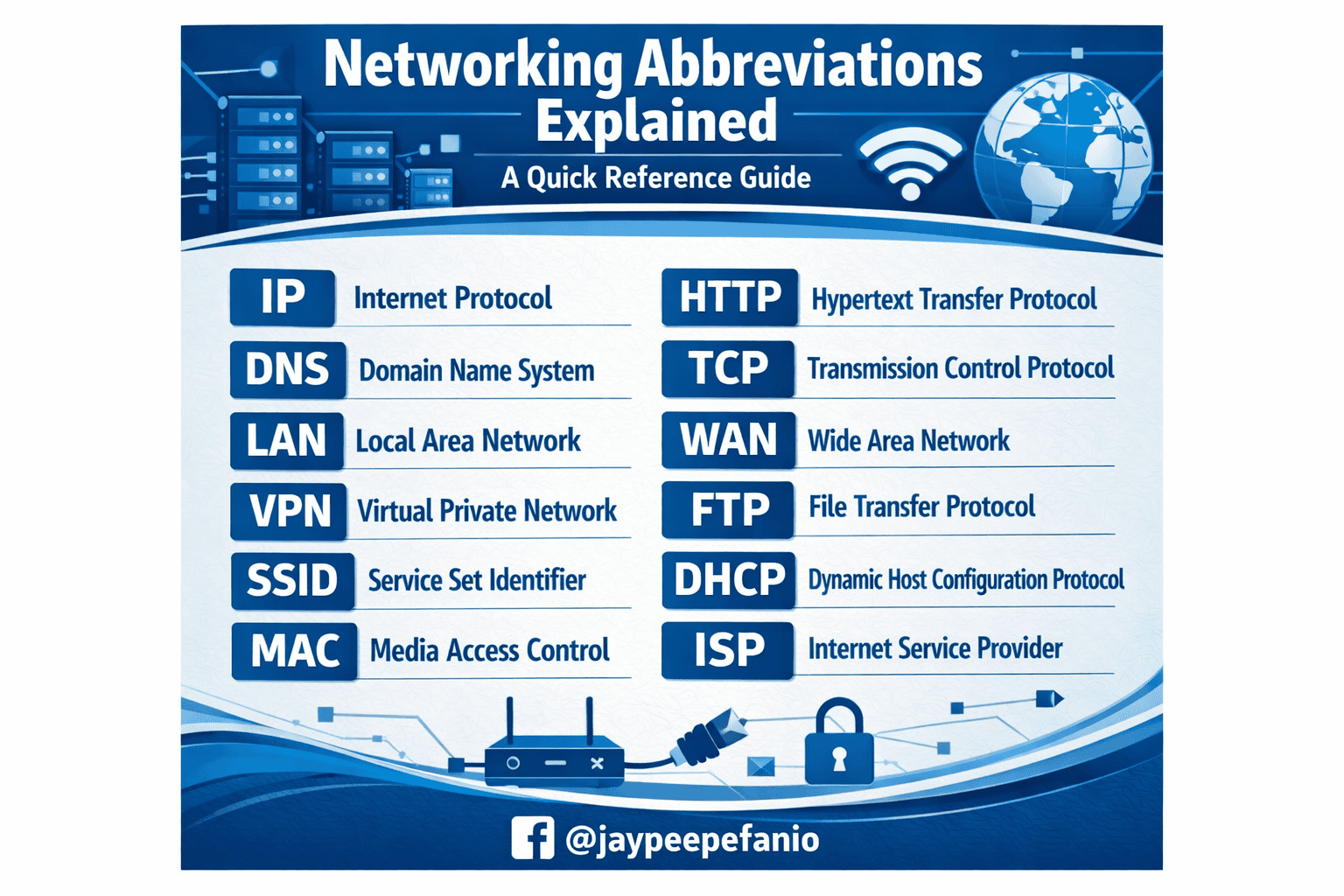
IP — Internet Protocol
IP stands for Internet Protocol. It is the system that gives each device on a network an address so data can be sent to the right place.
You may also hear about:
- IPv4: The older and still widely used version
- IPv6: The newer version with a much larger address space
An IP address is like a home address for your device on a network.
LAN — Local Area Network
A LAN is a Local Area Network. This is a network that connects devices in a small area, such as a home, office, or school.
Examples of a LAN include:
- Your home Wi‑Fi network
- Computers connected in one office
- Devices in a classroom lab
WAN — Wide Area Network
A WAN is a Wide Area Network. It covers a large geographic area and connects multiple smaller networks together.
The internet is the best-known example of a WAN.
DNS — Domain Name System
DNS stands for Domain Name System. It translates website names into IP addresses.
For example, when you type a website name into your browser, DNS helps direct you to the correct server. Without DNS, you would need to remember numeric addresses instead of names.
DHCP — Dynamic Host Configuration Protocol
DHCP automatically assigns IP addresses and other network settings to devices.
This is why your phone or laptop can usually connect to Wi‑Fi without needing manual configuration. DHCP handles the setup behind the scenes.
VPN — Virtual Private Network
A VPN is a Virtual Private Network. It creates a secure connection between your device and a remote network.
People use VPNs to:
- Protect privacy on public Wi‑Fi
- Access company resources remotely
- Hide browsing traffic from local networks
MAC — Media Access Control
A MAC address is a unique identifier assigned to a network device’s hardware. It is used for communication within a local network.
Unlike an IP address, which can change, a MAC address is tied to the device’s network interface.
NAT — Network Address Translation
NAT means Network Address Translation. It allows multiple devices on a private network to share one public IP address.
This is a key part of how home routers work. NAT helps conserve public IP addresses and adds a basic layer of network separation.
ISP — Internet Service Provider
An ISP is an Internet Service Provider. This is the company that gives you internet access.
Common ISPs include cable companies, fiber providers, and mobile carriers.
SSID — Service Set Identifier
An SSID is the name of a Wi‑Fi network.
When you see a list of available wireless networks on your phone, each network name is an SSID. It helps users identify the correct network to join.
LAN, WAN, and WLAN
You may also see WLAN, which stands for Wireless Local Area Network. It is basically a wireless version of a LAN.
These terms are often grouped together because they describe different types of network connections.
More Useful Networking Abbreviations
Here are a few more common networking abbreviations that often appear in tech settings:
- HTTP — Hypertext Transfer Protocol
- HTTPS — Secure version of HTTP
- TCP — Transmission Control Protocol
- UDP — User Datagram Protocol
- FTP — File Transfer Protocol
- SSH — Secure Shell
- NIC — Network Interface Card
- OSI — Open Systems Interconnection
- QoS — Quality of Service
- SSID — Wireless network name
These may sound complicated at first, but they are easy to remember once you see them in context.
How to Learn Networking Terms Faster
The best way to learn these abbreviations is to see them used in real situations. Instead of memorizing a long list, connect each term to a practical example.
Try these tips:
- Use your router settings to spot terms like SSID, DHCP, and NAT.
- Read error messages carefully when devices fail to connect.
- Check device manuals for terms like MAC address and IP.
- Watch short networking tutorials that explain one term at a time.
- Practice with a home network and look up each abbreviation as you encounter it.
Over time, the terms will become familiar.
Final Thoughts
Networking may seem intimidating at first, but many of the most important ideas are hidden inside a small set of abbreviations. Understanding common networking abbreviations can make it easier to troubleshoot problems, configure devices, and talk with IT professionals.
Start with the basics like IP, DNS, DHCP, and VPN, then build from there. Once you recognize these terms, the language of networking becomes much more approachable.