WiFi Frequency Bands: 2.4 GHz vs 5 GHz vs 6 GHz
If your internet feels slow in one room and lightning-fast in another, the answer is often not your plan, your router, or even your device. It may come down to wifi frequency bands. The three most common options today are 2.4 GHz, 5 GHz, and 6 GHz, and each one has strengths, weaknesses, and ideal use cases.
Understanding the difference can help you get better speed, fewer dropouts, and a more reliable connection at home or in the office.
What Are WiFi Frequency Bands?
WiFi uses radio waves to send data between your router and your devices. These waves travel on different frequency bands, which work a lot like lanes on a highway.
In simple terms:
- Lower frequency = longer range, better wall penetration, slower speeds
- Higher frequency = faster speeds, shorter range, less penetration through walls
That tradeoff is the key to choosing the right band.
2.4 GHz: Best for Range and Compatibility
The 2.4 GHz band is the oldest and most widely supported band. Almost every WiFi device can use it, including smart plugs, printers, cameras, and older phones or laptops.
Pros of 2.4 GHz
- Longest range
- Better through walls and floors
- Works with many older and low-power devices
- Good for smart home gadgets
Cons of 2.4 GHz
- Slower than 5 GHz and 6 GHz
- More interference from Bluetooth, microwaves, and neighbouring routers
- Usually more crowded
- Can feel congested in apartment buildings
Best use cases
2.4 GHz is ideal when you need coverage over speed. It works well for:
- Devices far from the router
- Smart home accessories
- Basic browsing and email
- Homes with thick walls or multiple floors
If your device is far away and only needs light internet use, 2.4 GHz is often the most stable choice.
5 GHz: Best Balance of Speed and Range
The 5 GHz band became the go-to option for faster WiFi in many homes. It offers much better speeds than 2.4 GHz while still covering a decent area.
Pros of 5 GHz
- Faster speeds
- Less crowded than 2.4 GHz
- Better performance for streaming and gaming
- Good balance between speed and range
Cons of 5 GHz
- Shorter range than 2.4 GHz
- Weaker through walls and obstacles
- Some older devices may not support it
Best use cases
5 GHz is usually the best all-around choice for:
- Streaming video
- Online gaming
- Video calls
- Laptops and smartphones in the same room or nearby rooms
If you want stronger performance without being too far from the router, 5 GHz is often the sweet spot.
6 GHz: The Newest and Fastest Option
The 6 GHz band is the newest addition to modern WiFi, often available through WiFi 6E and WiFi 7 routers. It offers the most open space and the least interference of the three bands.
Pros of 6 GHz
- Fastest potential speeds
- Very low interference
- Excellent for crowded environments
- Great for high-bandwidth tasks
Cons of 6 GHz
- Shortest range
- Poor wall penetration
- Requires a newer router and device support
- Not available on all networks or in all regions
Best use cases
6 GHz shines when your device is close to the router and needs top performance. It is great for:
- Large file transfers
- 4K or 8K streaming
- Competitive gaming
- VR and AR applications
- Busy homes with many connected devices
If your router and device both support it, 6 GHz can deliver an excellent wireless experience, especially in the same room as the access point.
WiFi Frequency Bands Compared
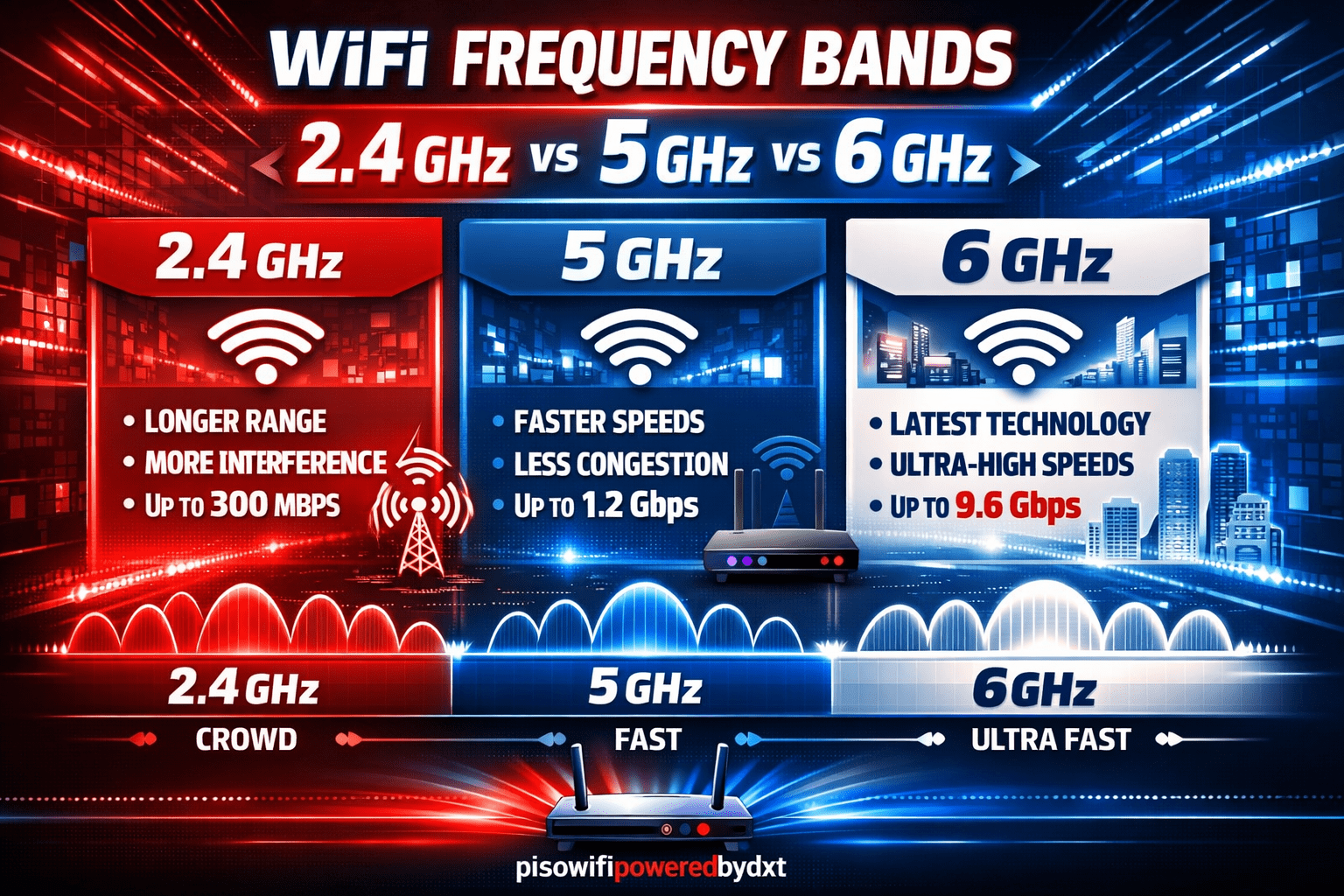
Here’s a quick comparison of wifi frequency bands, 2.4 GHz vs 5 GHz vs 6 GHz:
| Band | Speed | Range | Wall Penetration | Interference | Best For |
|---|---|---|---|---|---|
| 2.4 GHz | Lower | Long | Strong | High | Smart devices, long range |
| 5 GHz | High | Medium | Moderate | Medium | Streaming, gaming, everyday use |
| 6 GHz | Highest | Short | Weak | Low | Fast local performance, crowded homes |
This table makes the tradeoff clear: faster bands usually mean less range.
Which Band Should You Use?
The best band depends on where you are and what you are doing.
Use 2.4 GHz if:
- You are far from the router
- You need better wall penetration
- You are connecting smart home devices
- Speed is less important than reliability
Use 5 GHz if:
- You are in a medium-range area
- You stream, game, or video chat
- You want a good balance of speed and coverage
- Your devices support it
Use 6 GHz if:
- You have a newer router and device
- You are close to the router
- You want the fastest, least crowded connection
- You do bandwidth-heavy tasks
A Few Practical Tips
To get the most from your network, try these simple steps:
- Place your router in a central location
- Keep it away from thick walls and metal objects
- Use 2.4 GHz for distant smart devices
- Use 5 GHz or 6 GHz for phones, laptops, and streaming devices nearby
- Update your router firmware for better performance and stability
If your router supports band steering, it may automatically move devices to the best available band. That can make things easier, but manual selection can still help in some situations.
Final Thoughts
Choosing between wifi frequency bands, 2.4 GHz vs 5 GHz vs 6 GHz, comes down to the classic tradeoff of range versus speed. The 2.4 GHz band goes farther, 5 GHz offers a strong balance, and 6 GHz delivers the fastest, cleanest performance when you are close enough to use it.
There is no single “best” band for every situation. The right one depends on your device, distance, and how you use the internet. Once you understand the differences, you can make smarter choices and enjoy a better connection throughout your space.